Three versions, two of which I threw away.
The third one nobody has to think about.
- Role
- Product design
- Front-end
- Rollout
- Maintenance
- Stack
- Google Apps Script
- Chrome extension
- One central JSON
- Brands
- Sell and Stay
- RuhestandPlus
- Lebenswert
- Market
- Austria
- Germany
Three brands, three prongs — hence the name.
The situation
Every sales rep wrote emails from scratch with their own signature. Three brands, no shared language, wildly different levels of polish landing in customers’ inboxes — for the same recurring moments every time: sending an offer, delivering a valuation result, following up.
The ask was simple: standardised, branded HTML templates. Getting there took three attempts.
Version 1 — templates by hand
I built an admin panel with live preview for composing the HTML templates — AI-assisted, like everything else here — then installed them the only way Gmail allows: copy-paste into Gmail’s native template feature, laptop by laptop, at every rep’s desk.
It worked for about two weeks. Then someone changed a phone number, and I did the walk around the office again.
Killed it. The design was fine; the architecture was the mistake.
I’d built a system whose maintenance cost scaled with headcount. Nothing about the templates was wrong — every hour they cost me was spent on distribution.
Why not just buy something
I checked. Template management tools exist, and they run €20–30 per user per month for a feature set built for a much bigger sales motion than ours — AI follow-up assistants, sequence builders, engagement scoring. We needed a way to insert the right branded email and keep it current.
Paying a recurring per-seat cost for a tool that’s 80% features we’d never open, to solve a problem I could scope precisely, was the wrong trade. That calculation isn’t automatic — if the problem had been fuzzier or the team ten times bigger, buying wins.
Version 2 — one JSON, one script
I moved the templates into a central JSON file and wrote a Google Script that installed them automatically. The JSON held brand-specific HTML styling, per-employee signatures with photos and contact details, and a document-handling system that turned Drive links into proper “View” or “Download” buttons via placeholders.
Much better. Changes happened in one place. But two things still didn’t work. Reps had to run the script themselves after every update, which meant some of them didn’t. And Gmail’s native template management is genuinely bad — buried in a menu, no meaningful names, a scrollable list you hunt through while the customer waits.
I’d fixed distribution and left the actual moment of use untouched.
One phone number changes and all six go stale.
Only the reps who remember to run it.
Everyone, without doing anything.
Version 3 — where the work actually happens
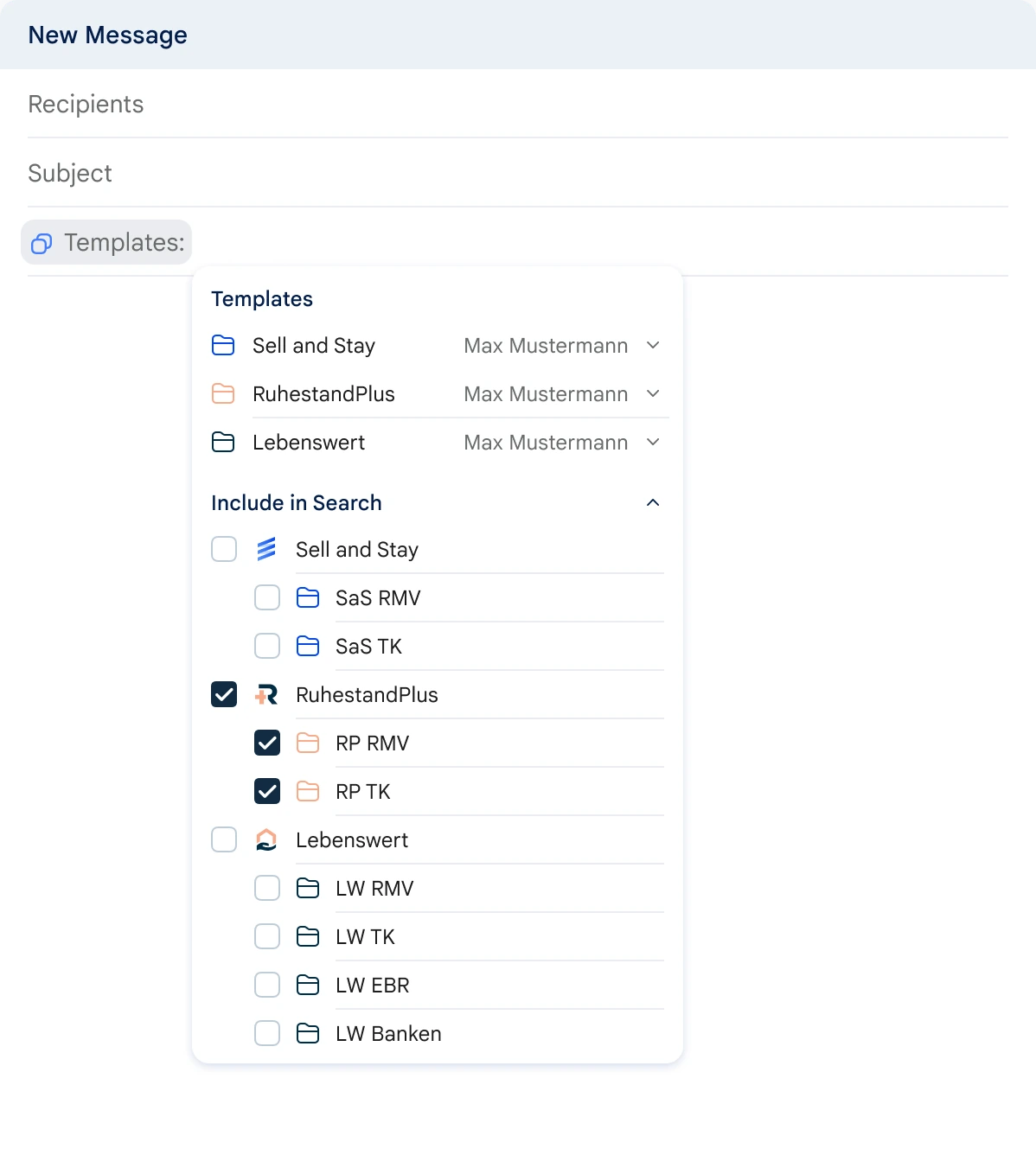
A browser extension, rolled out company-wide, that puts a template button directly in the Gmail compose window, under the recipient and subject fields.
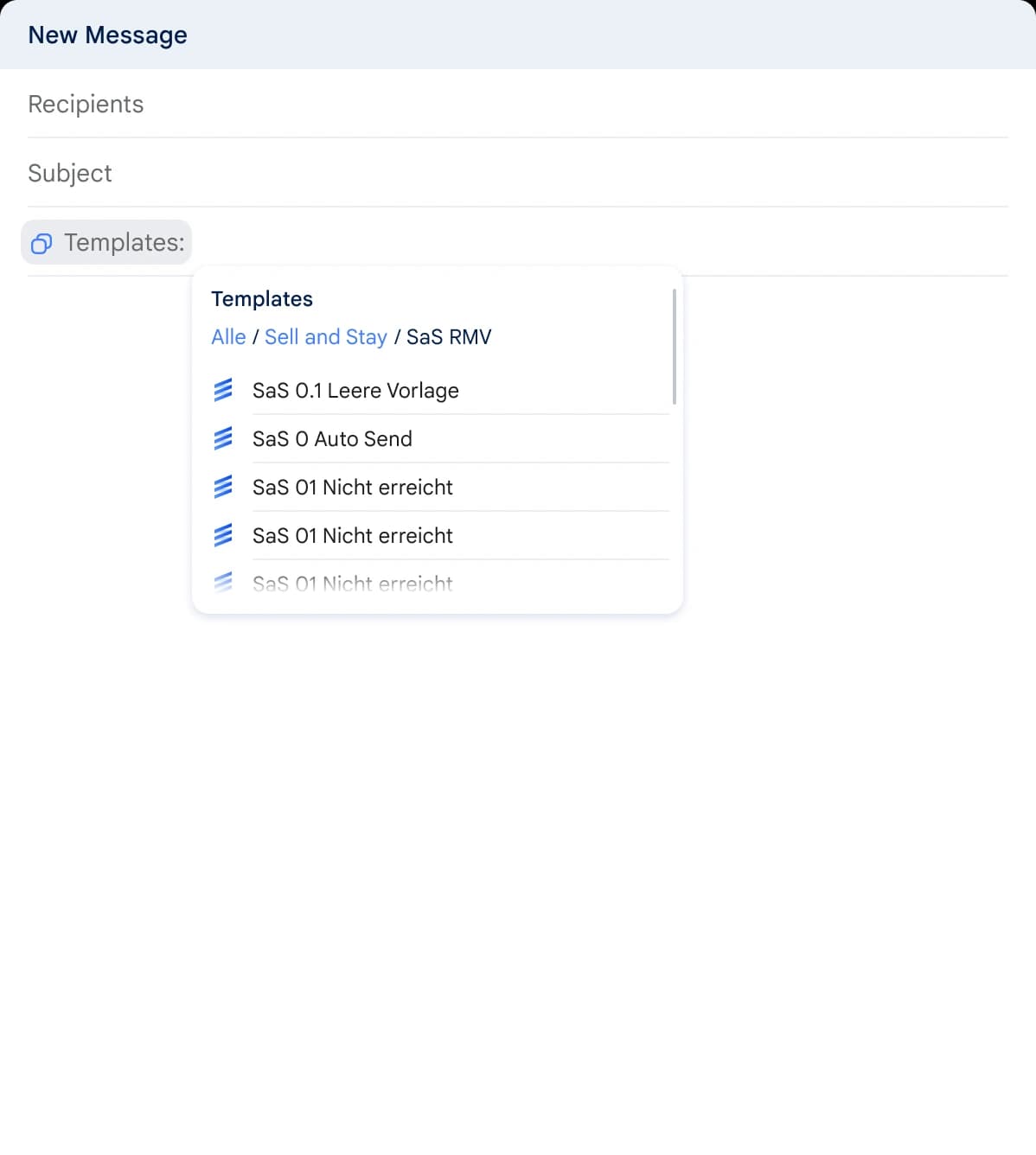
- 01Groups templates by brand, numbered and named the way a person would say them
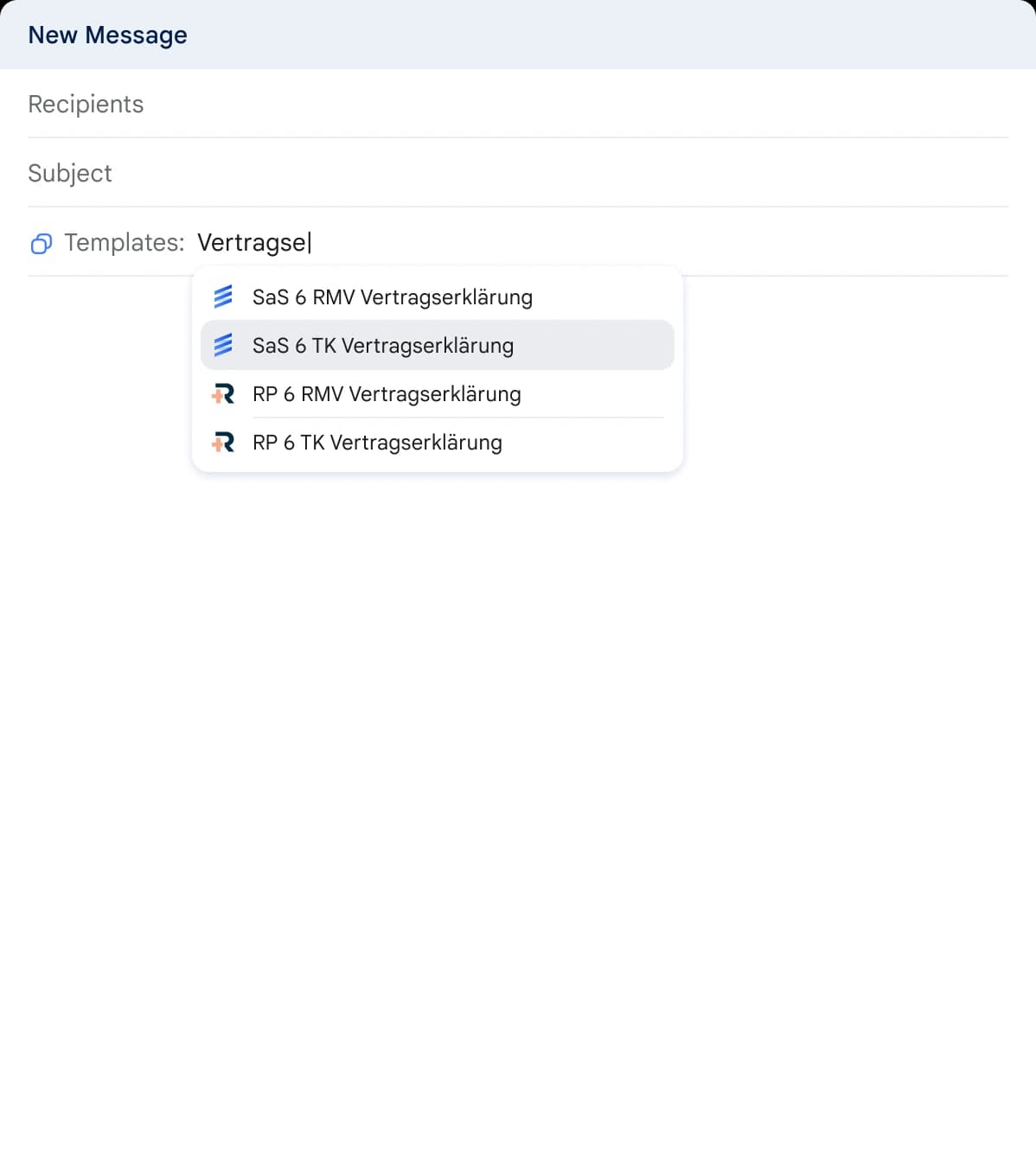
- 02Searches the list, instead of scrolling it while the customer waits
- 03Loads the subject line with the body, as one action
- 04Turns Drive links into proper View and Download buttons via placeholders
- 05Re-fetches the central JSON on every Gmail reload, so nobody is on an old version
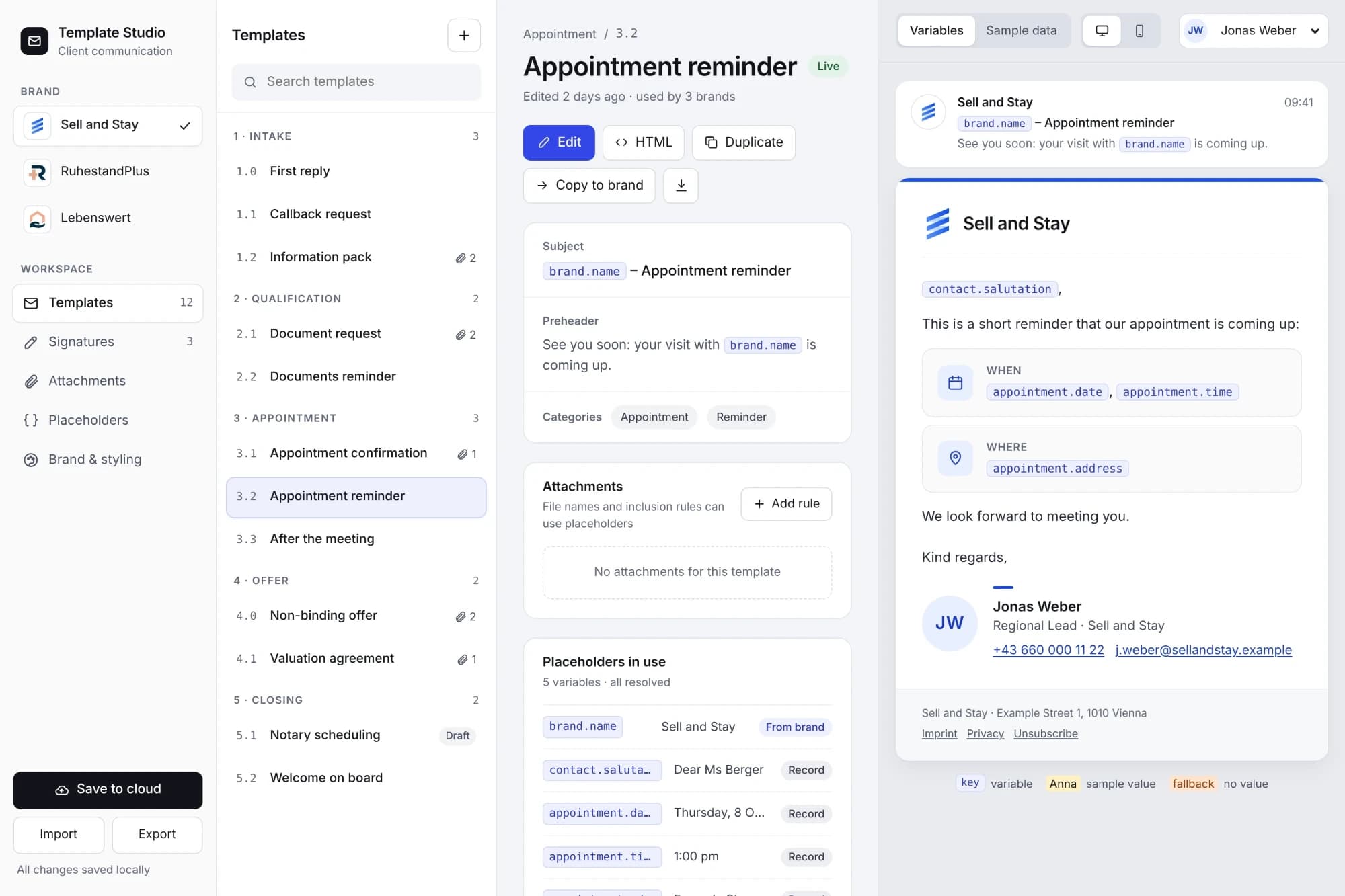
The admin panel from version 1 survived — it still maintains templates, signatures, documents and brand colours, and still writes to the JSON the extension consumes. The front end was wrong three times. The back of it was right from the start.
Outcome
From manual per-machine installation to a self-updating, centrally maintained system with no licence costs, shaped exactly to three brands and the moments they actually email about.
The measure I care about: nobody asks me about it anymore.
It only exists inside Chrome. A rep answering mail from their phone has none of it — fine today, because they don’t, and it stops being fine the day they do. And it is one person’s extension against one person’s script. The mitigation is that the thing everyone actually depends on is a plain JSON file: whoever comes next inherits a file they can read, not a codebase they have to take on.